
Pickups
Safety and privacy
Setting and changing a pickup time
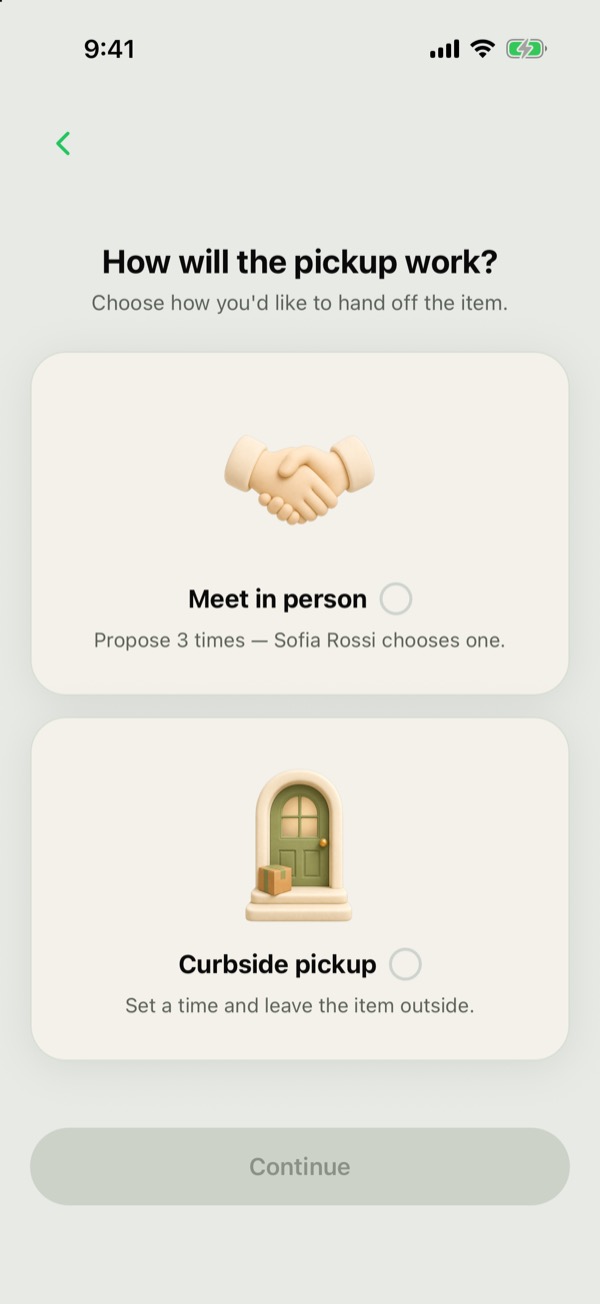
How is a pickup time set?
After you claim, the person giving the item away chooses how the pickup works:
- Meet in person: they propose 3 times and you tap Choose a time to pick one.
- Curbside pickup: they set a time to leave the item outside and you tap Confirm.
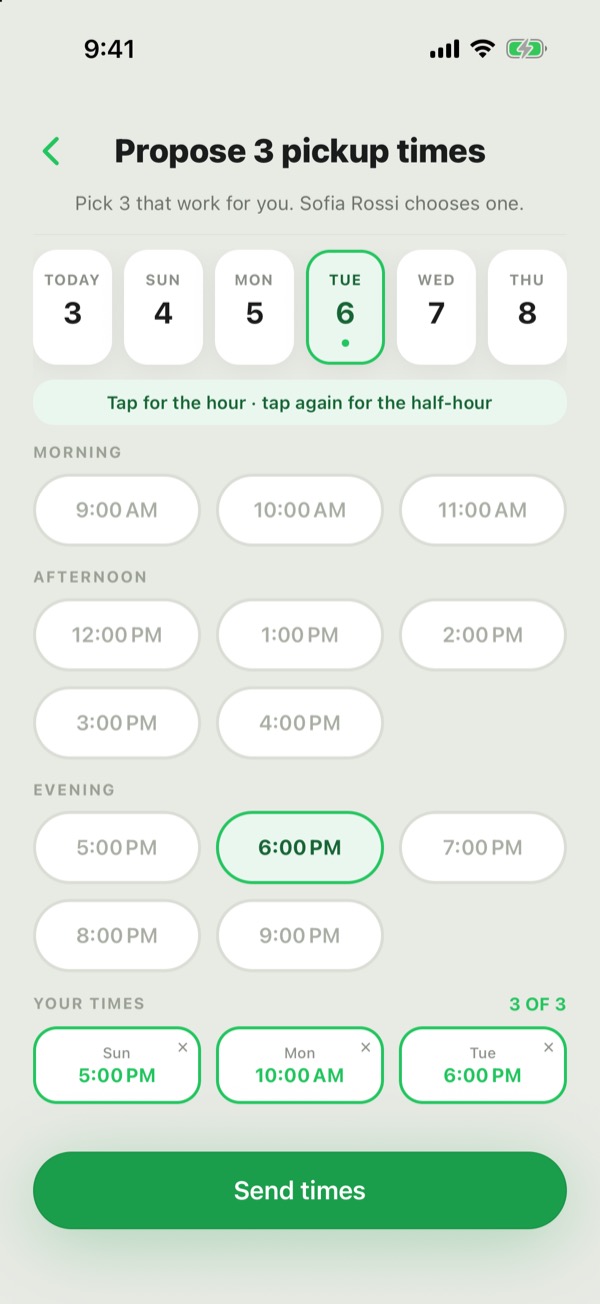
What times are allowed?
Pickups are between 9 AM and 9 PM, any day, up to 5 days after you claim. The time picker only shows days that work.
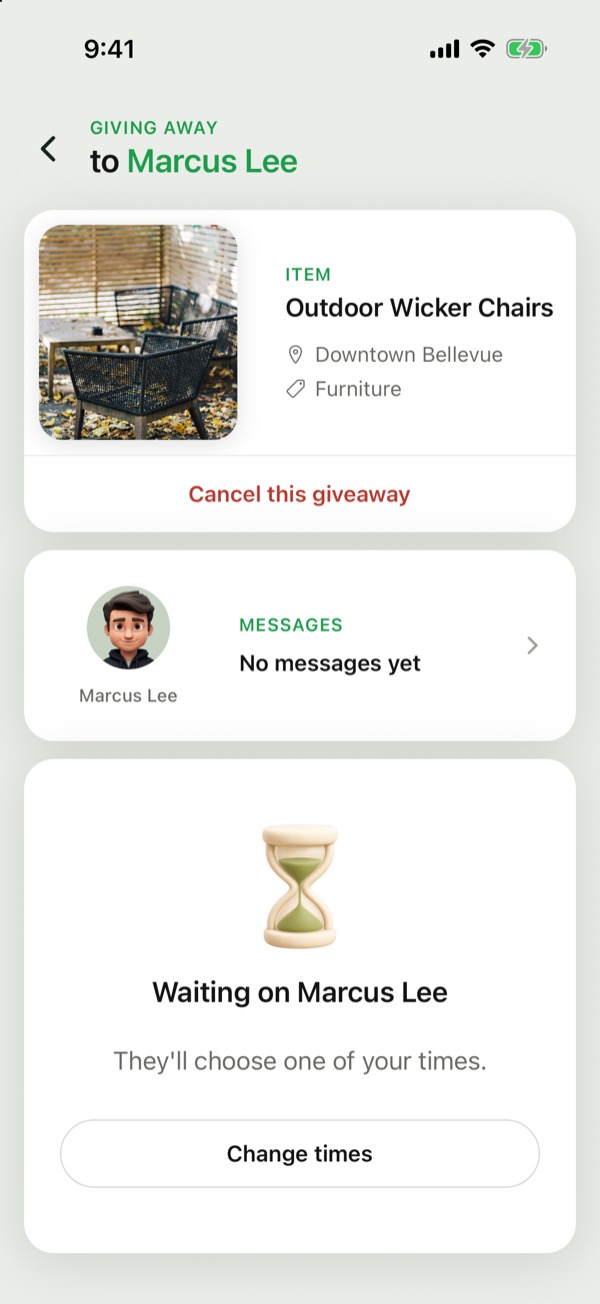
Can a pickup time be changed?
Before a time is booked, yes: the person giving the item away can change it with Change times, or Change time for curbside. Once a time is booked, it can't be changed. Go with the time you set, or cancel and claim again.
Curbside pickup
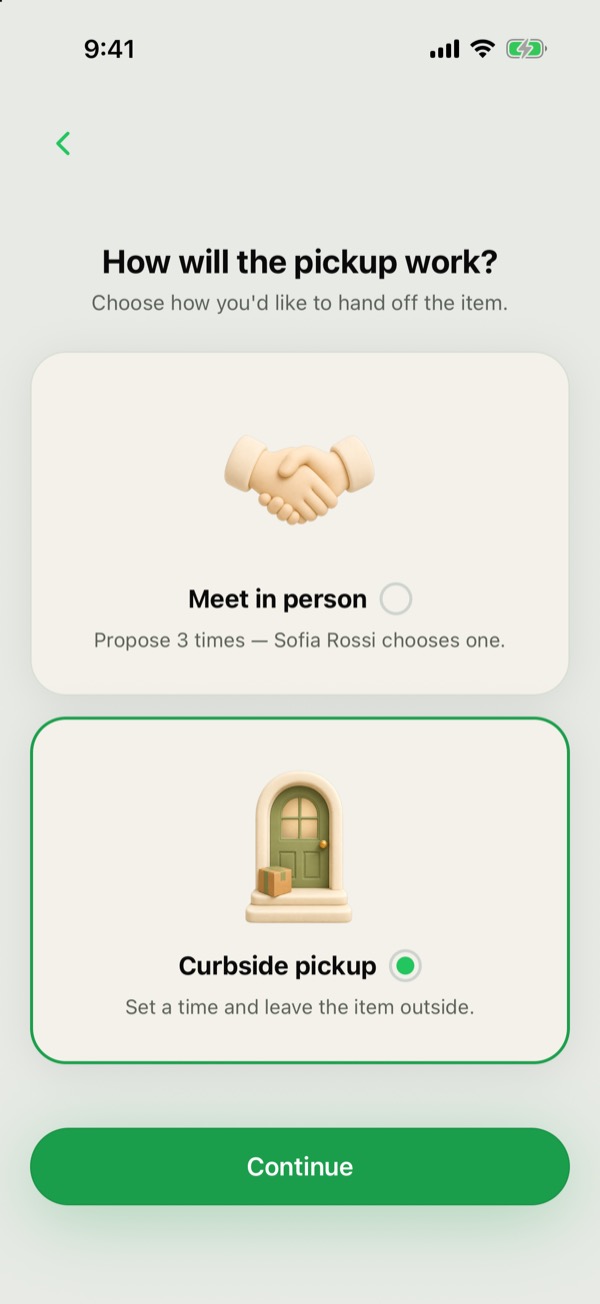
What is curbside pickup?
The person giving the item away picks a time and leaves the item outside. You can pick it up any time from then until 9 PM that day.
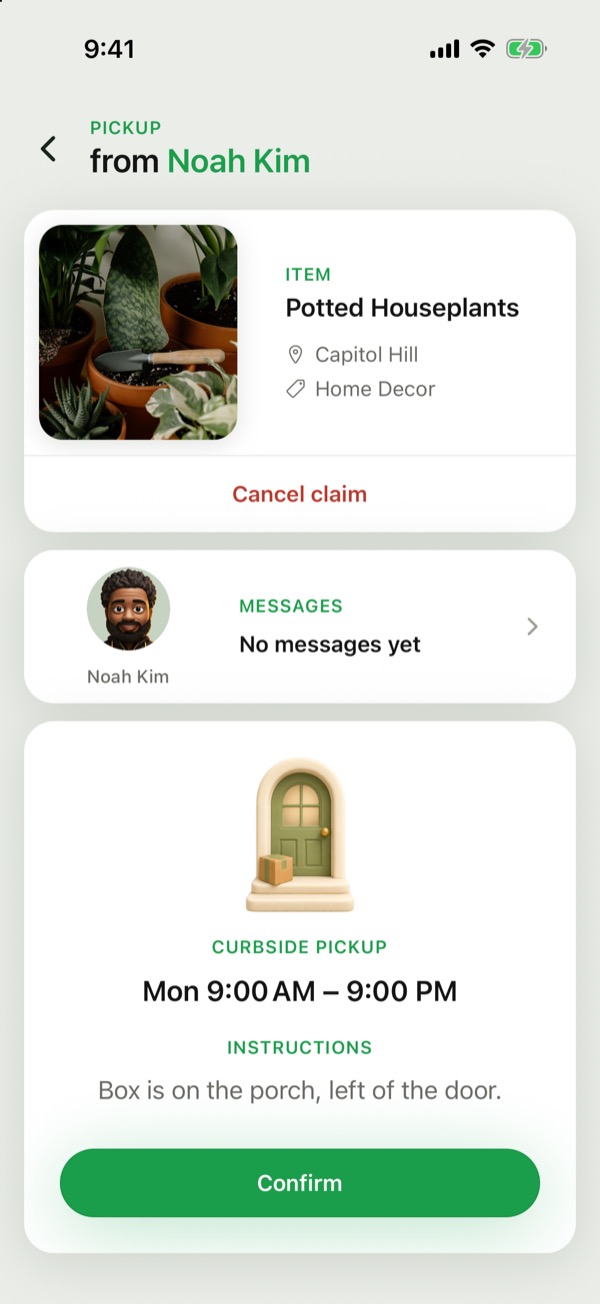
How do I confirm the time?
Confirm the set-out time in one tap, Confirm, on the Handoff. If it isn't confirmed by the set-out time, the claim cancels itself and you pay nothing.
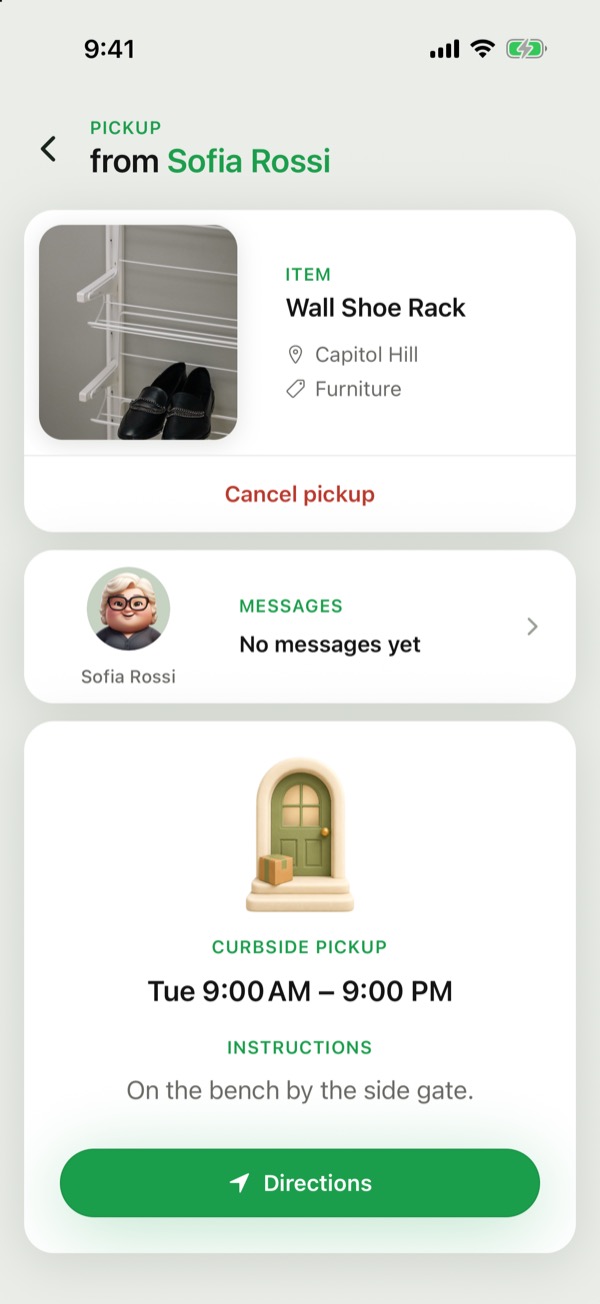
What if I can't make it?
Tap Cancel claim. Before you confirm the time, it's free.
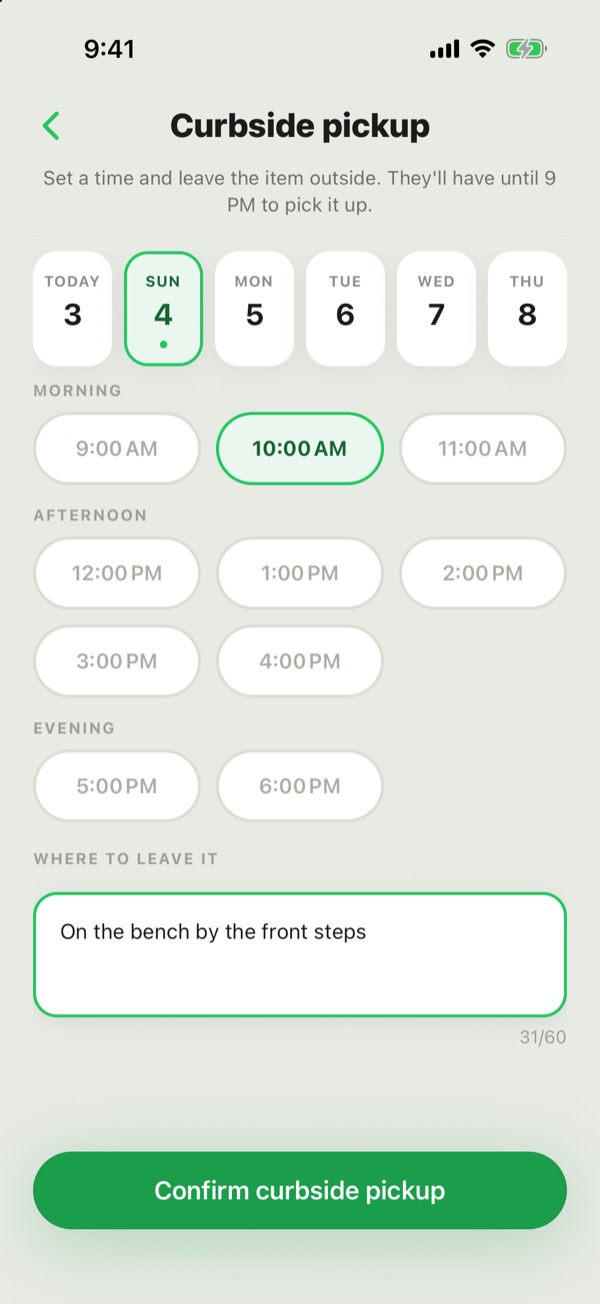
When can the item be set out?
Between 9 AM and 6 PM, and at least an hour ahead, so there are always at least 3 hours to pick it up.
What if the item isn't outside?
Message the person giving it away first. If it still isn't sorted, use Settings → Report a problem.
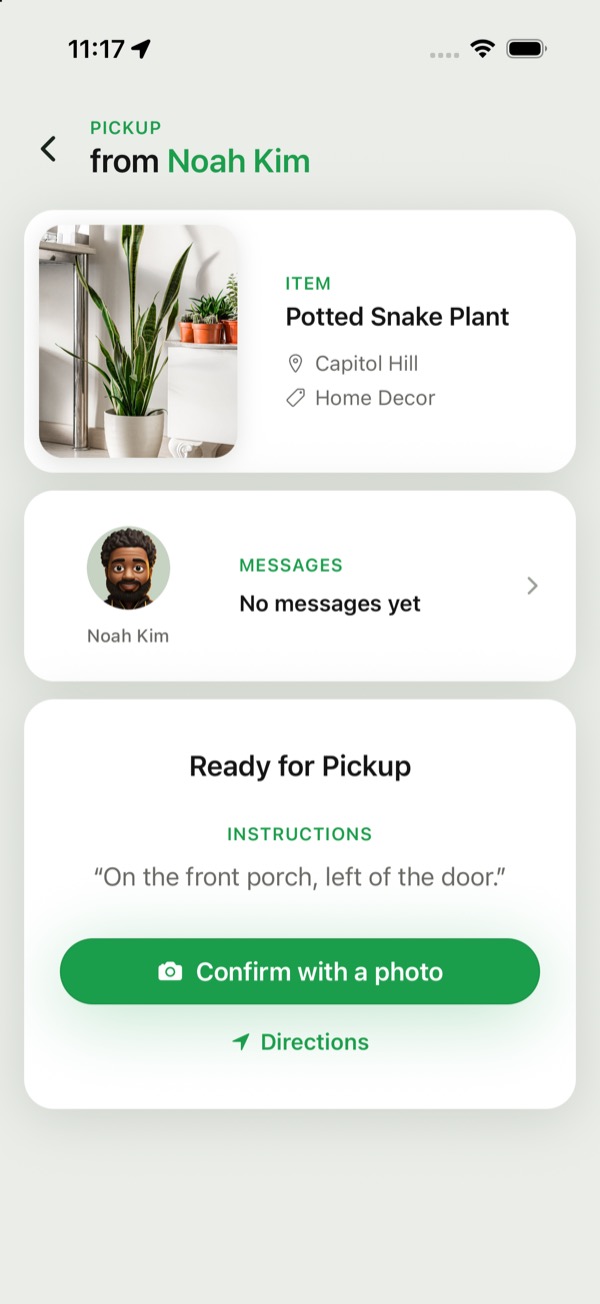
Do I take a photo for curbside too?
Yes. The photo of the item when you collect it completes the pickup: tap Confirm with a photo.
How a pickup is completed
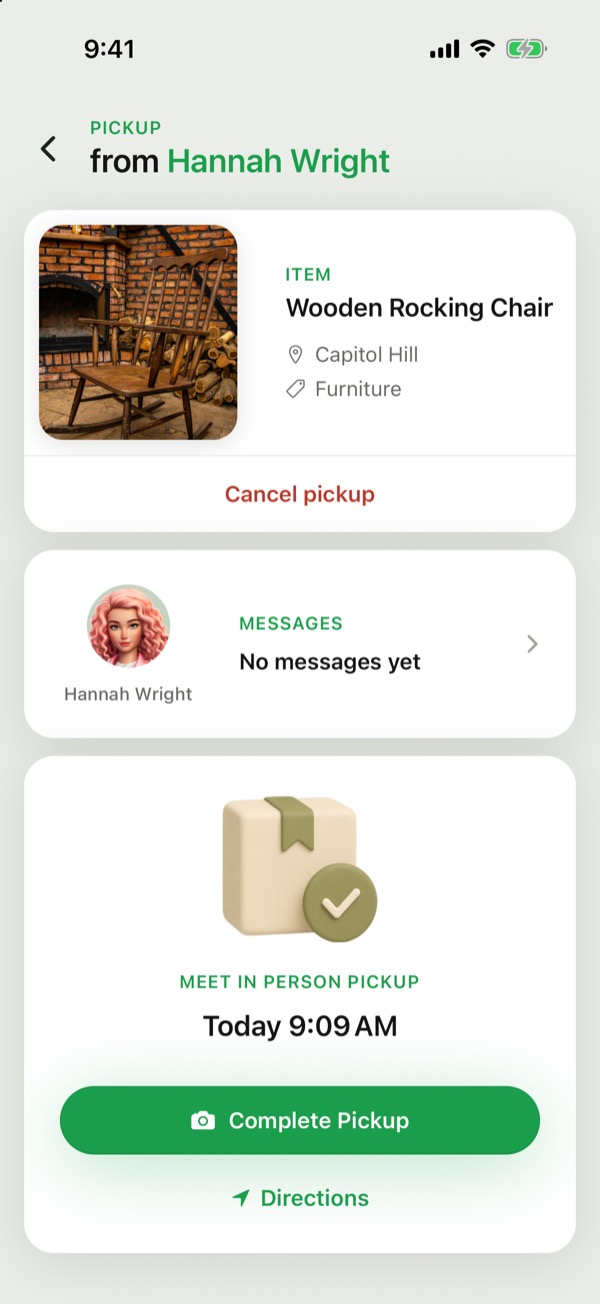
Do I need to take a photo?
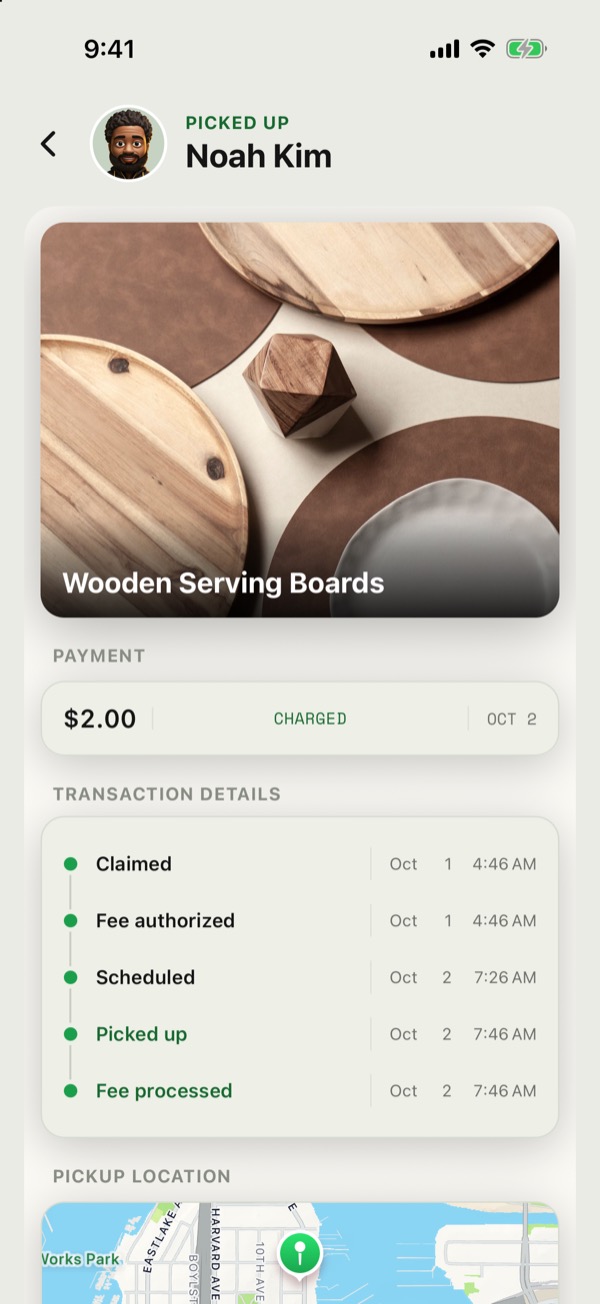
Yes. At the Handoff, tap Complete Pickup, or Confirm with a photo for curbside, and take a photo of the item. That photo completes the pickup: the $2 is charged and the Handoff closes.
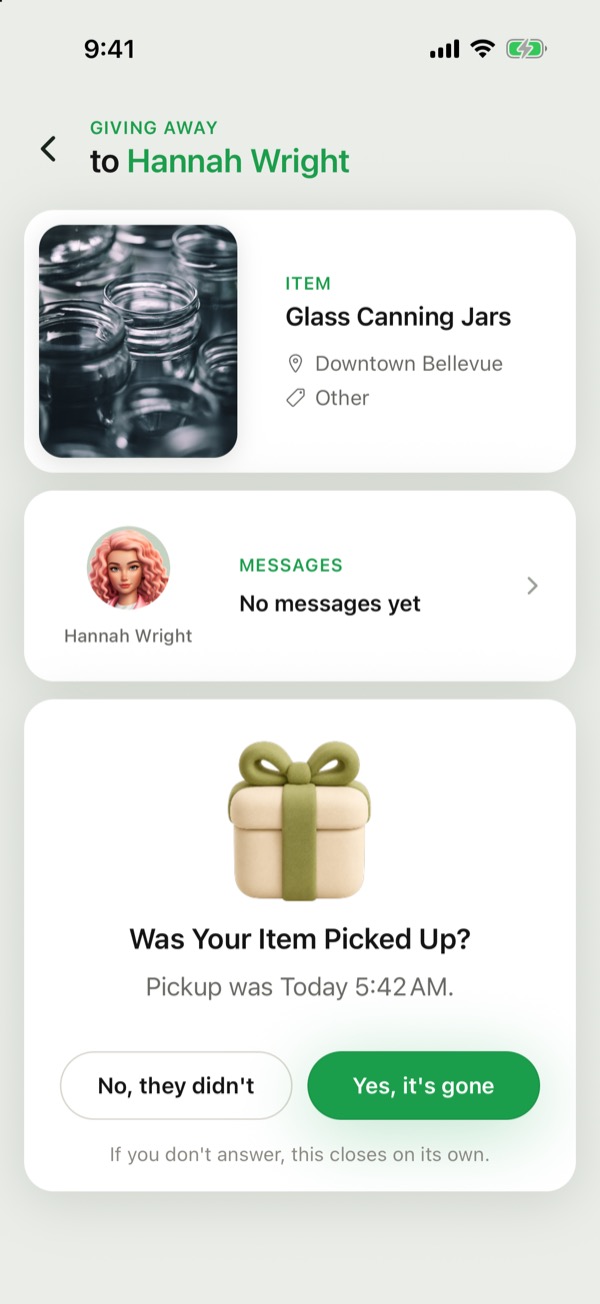
What if no photo is sent?
The person giving the item away is asked afterwards whether it was picked up: Yes, it's gone or No, they didn't. If they tap No, they didn't, it counts as a missed pickup. If nobody answers, it closes on its own and the $2 is charged; the receipt shows Auto-completed.
What if something was wrong with the item?
Only send the photo for an item you actually picked up. If it wasn't as described, see Disputes and refunds. We review every report before deciding whether the $2 is refunded.
Cancellations and no-shows
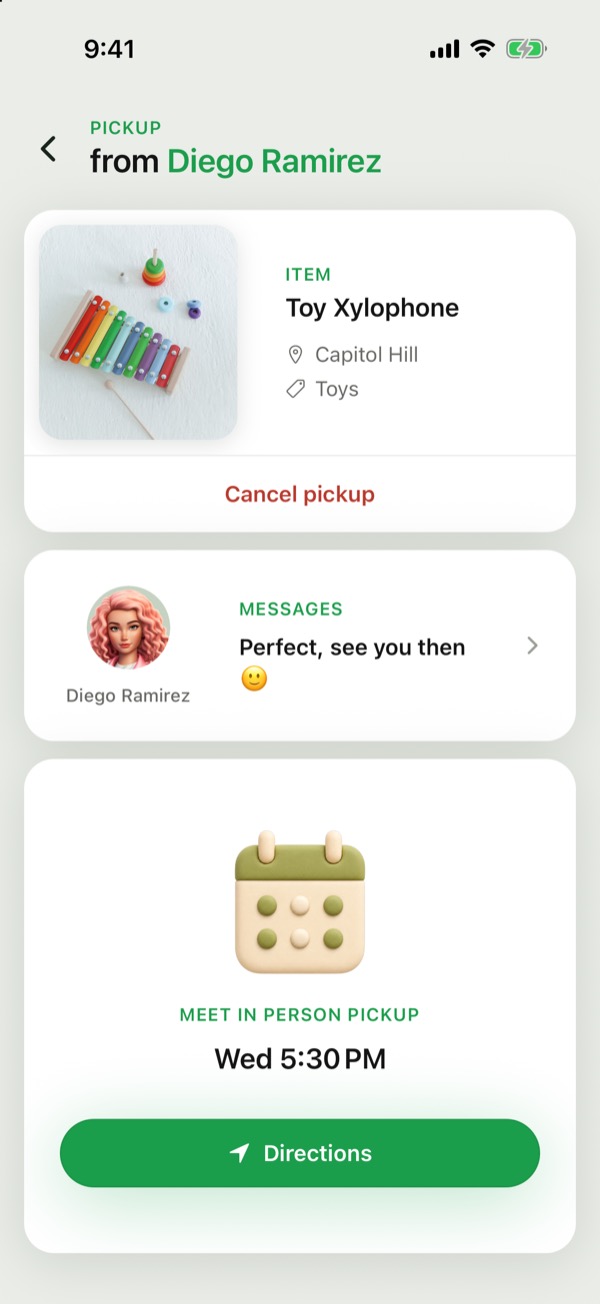
Can I cancel a claim?
Yes. On the Handoff, tap Cancel claim, or Cancel pickup once a time is booked. Once the pickup time has passed, it can't be cancelled.
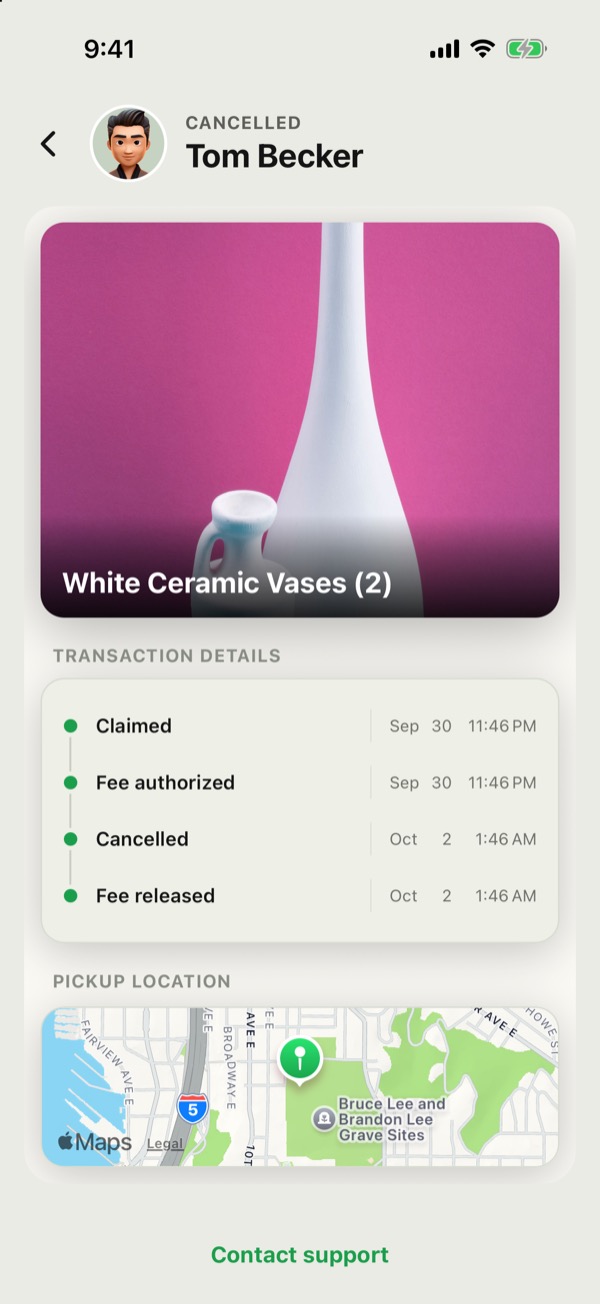
- Before a time is booked, or more than 2 hours before the pickup: free. The hold is released.
- Within 2 hours of the pickup: you can still cancel, but the $2 is charged, or your Zelbi credit is used if one covers this claim. By then the other person is expecting you.
What if the person giving it away cancels?
You're never charged. The hold is released.
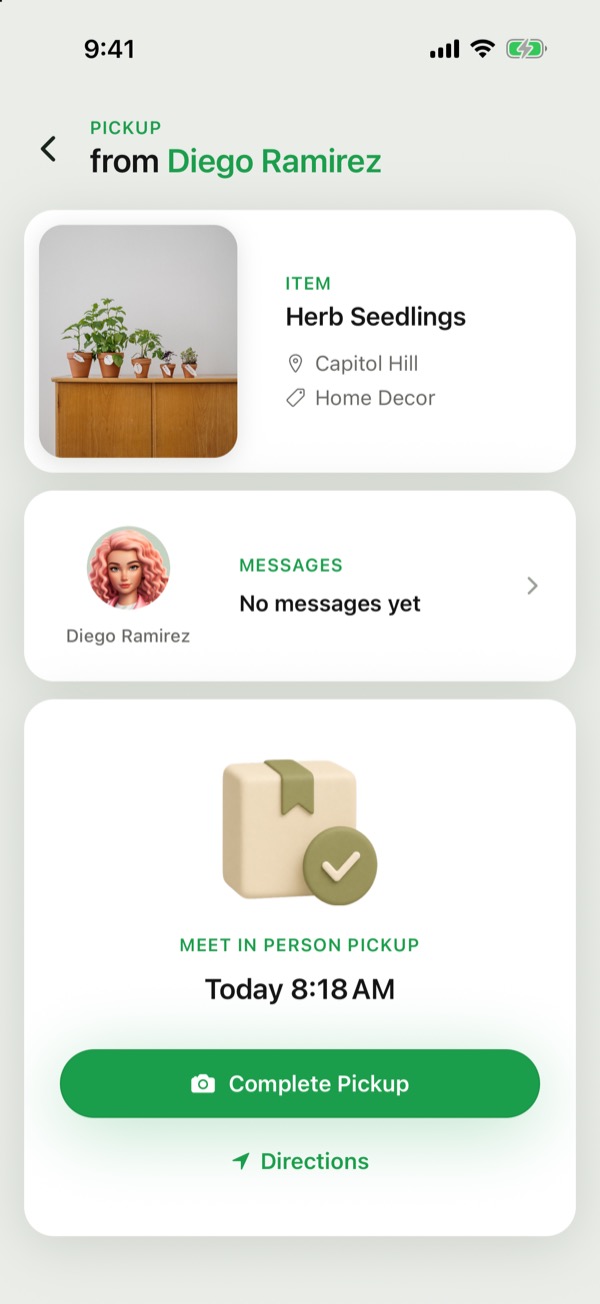
What if I miss a pickup?
The $2 is charged. If a giver reports you as a no-show three times within 30 days, you can't claim anything for 7 days, and any other claims you have open are cancelled with their holds released. If you can't make it, cancel as early as you can.
What if the other person doesn't show up?
If the other person didn't show, tell us from the handoff. Your $2 is still taken as usual. If we confirm they missed it, you get a Zelbi credit that covers the fee on your next pickup.
The $2 claim fee
Claiming an item on Zelbi costs $2. When you claim, a $2 hold is placed on your card. You aren't charged yet.
When is the $2 charged?
- The pickup happens: when you send the photo with Complete Pickup, or Confirm with a photo for curbside. If no photo is sent, it completes on its own about a day after the pickup time.
- You miss a pickup you booked, or cancel within 2 hours of it.
When do I pay nothing?
- You cancel before a time is booked, or more than 2 hours before the pickup.
- The person giving the item away cancels.
- A curbside time you never confirmed cancels itself.
In each case the hold is released and nothing is charged.
What if I have a Zelbi credit?
A Zelbi credit covers the $2 instead of your card. Whenever the $2 would be charged, the credit is used up instead, and Payment history shows Credit used.
Where does the $2 go?
It's Zelbi's fee. The person giving the item away gets none of it. Giving on Zelbi is free.
Can the $2 be paid back?
Only if something went wrong and our review finds you shouldn't have paid. See Disputes and refunds.
Payment history
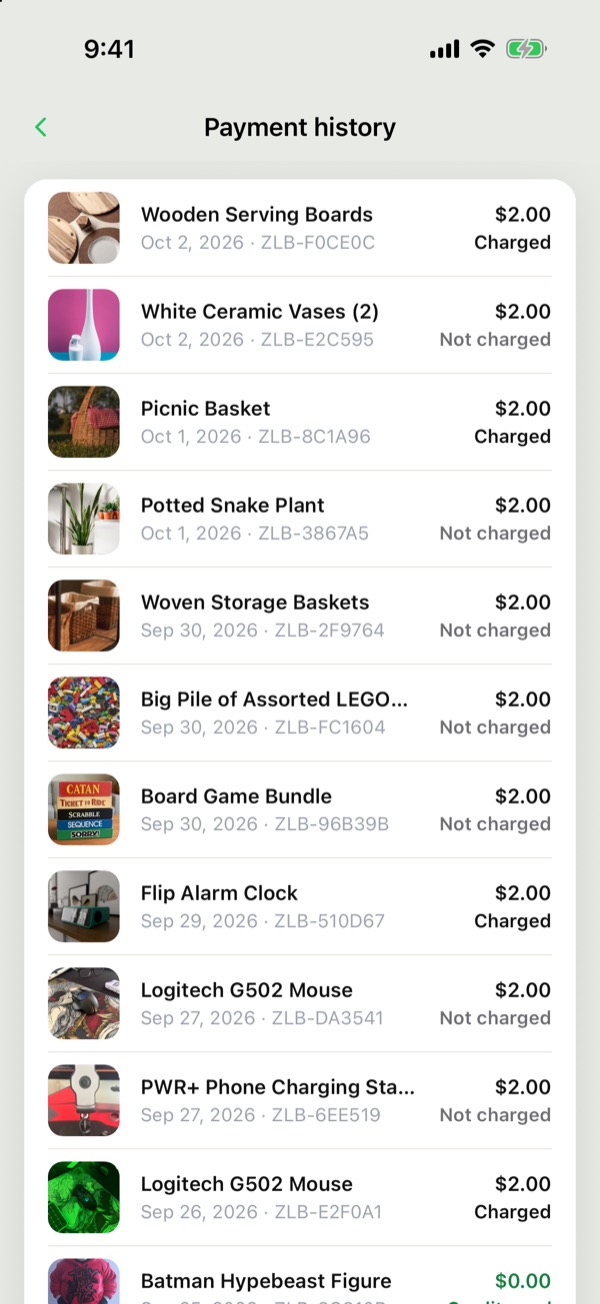
Where can I see my claim fees?
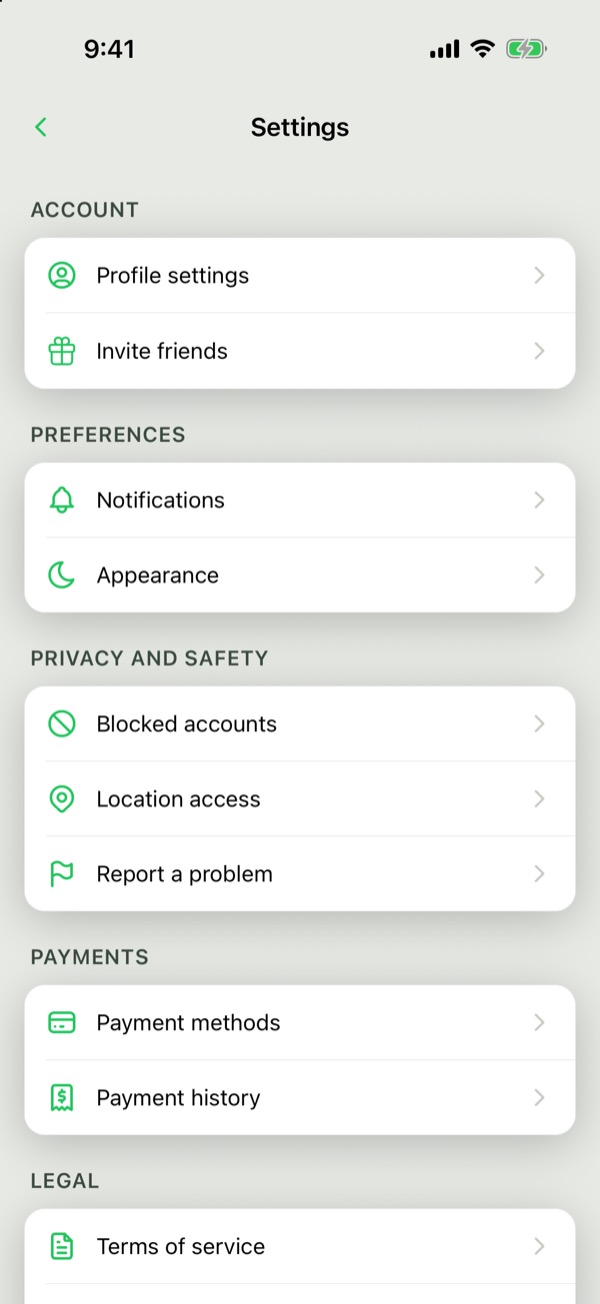
Settings → Payment history lists every $2 claim fee, newest first. Tap one to open its receipt.
What do Charged, Refunded and Not charged mean?
- Charged: the pickup happened, or it was missed.
- Refunded: the $2 was paid back after a review.
- Not charged: the claim was cancelled and the hold released.
- Credit used: a Zelbi credit covered the fee, so you paid $0.
Disputes and refunds
What if the item wasn't as described?
Use Report a problem from Settings or from the ••• menu on the pickup's Handoff screen, choose The item, then Not there or not as described. You can also tap Contact support on the item's receipt. Tell us the item's name and what was wrong. Photos or messages help if you have them.
What if I was charged for a missed pickup?
Open the receipt in Settings → Payment history and tap Dispute this charge. Tell us what happened. We review it before deciding on a refund. If the other person didn't show, tell us from the handoff instead: your $2 is still taken as usual, and if we confirm they missed it, you get a Zelbi credit that covers the fee on your next pickup.
Is the $2 refunded right away?
No. We review every report first. If the item really wasn't as described, your $2 claim fee is refunded. If you disagree with our decision, reply to our email and we'll look at it again.
How fast do you respond?
We aim to respond within 24 hours and to resolve most disputes within 5 business days.
Who can file a dispute?
The person who paid the $2 claim fee. If you gave an item away and a pickup went wrong, use Report a problem to report the person, or block them.
Blocking and safety
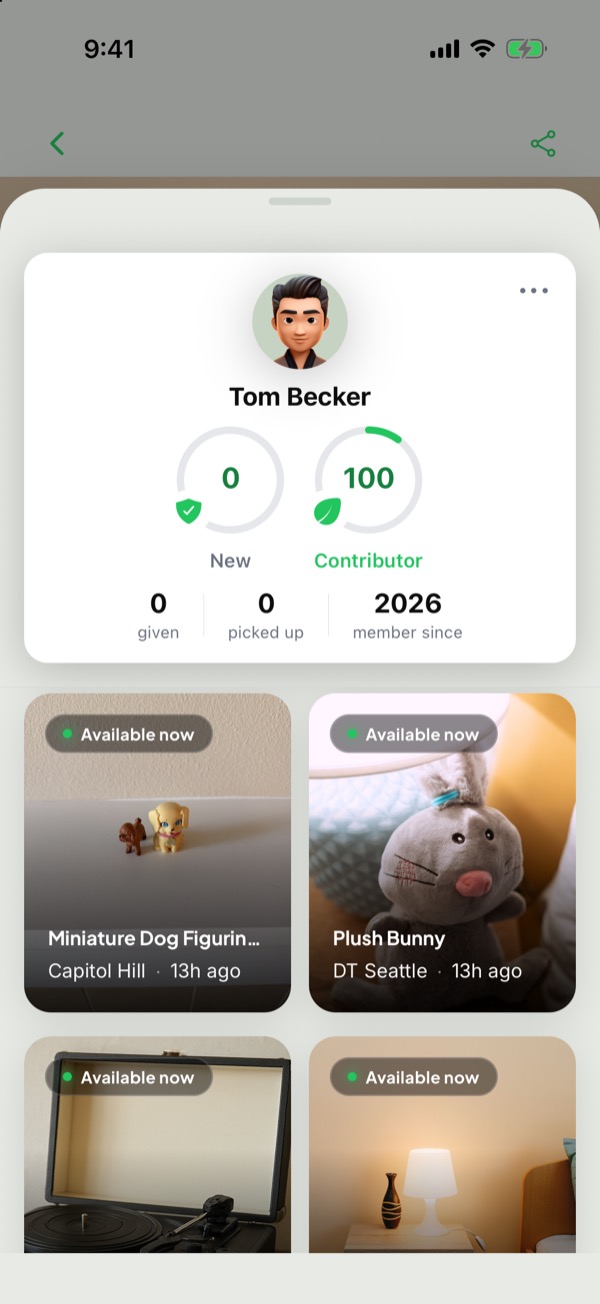
How do I block someone?
Open their profile, tap •••, then Block user.
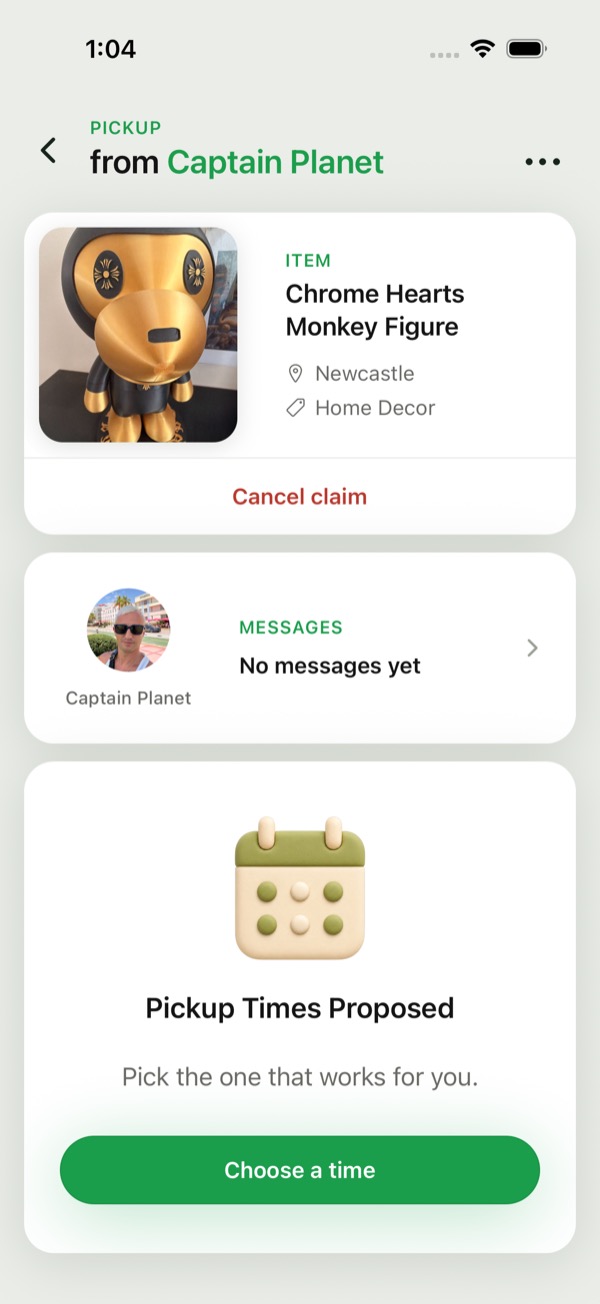
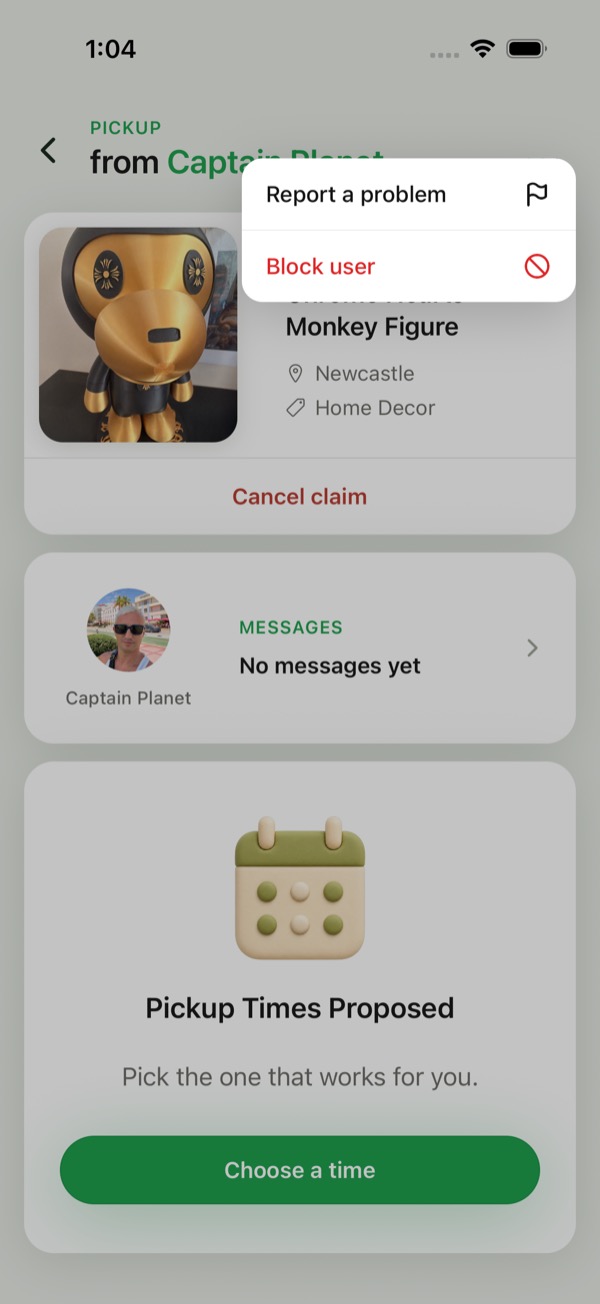
Can I block someone during a pickup?
Yes. On the Handoff, tap •••, then Block user. It works whether you're giving the item away or picking it up, and it cancels the pickup between you.
What happens when I block someone?
- Any Handoff in progress between you is cancelled, with no late-cancel charge.
- They won't appear in your feed.
- You can unblock them any time in Settings → Blocked accounts, then tap Unblock.
What if someone is harassing me?
Block them, then use Settings → Report a problem to tell us what happened. If you're ever in danger, call 911.
Threats and violence
- Violence of any kind, physical or verbal, is not allowed on Zelbi. That includes threats against another person's safety, home, vehicle, property or family, whether direct, indirect or "just a joke".
- Don't share or threaten to share anyone's personal information.
- Harassment is not allowed: repeated unwanted messages, insults or slurs, or pressure after someone says no.
- Breaking these rules means immediate and permanent removal from Zelbi.
- If you feel unsafe: block the person, cancel the pickup and report them. If you're in danger, call 911.
Location privacy
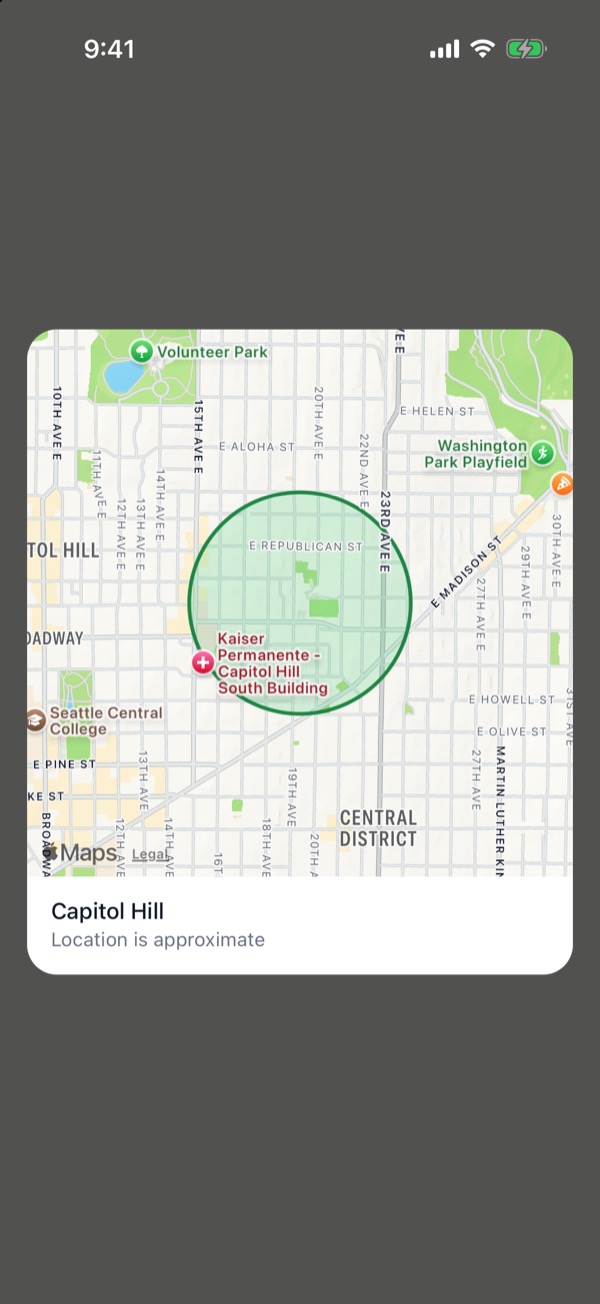
Locations you see are approximate
Every listing on Zelbi shows an approximate location — a general vicinity, not an address. The map shows a neighborhood area with the note "Location is approximate," so you can tell whether an item is nearby without anyone's home being pinpointed.
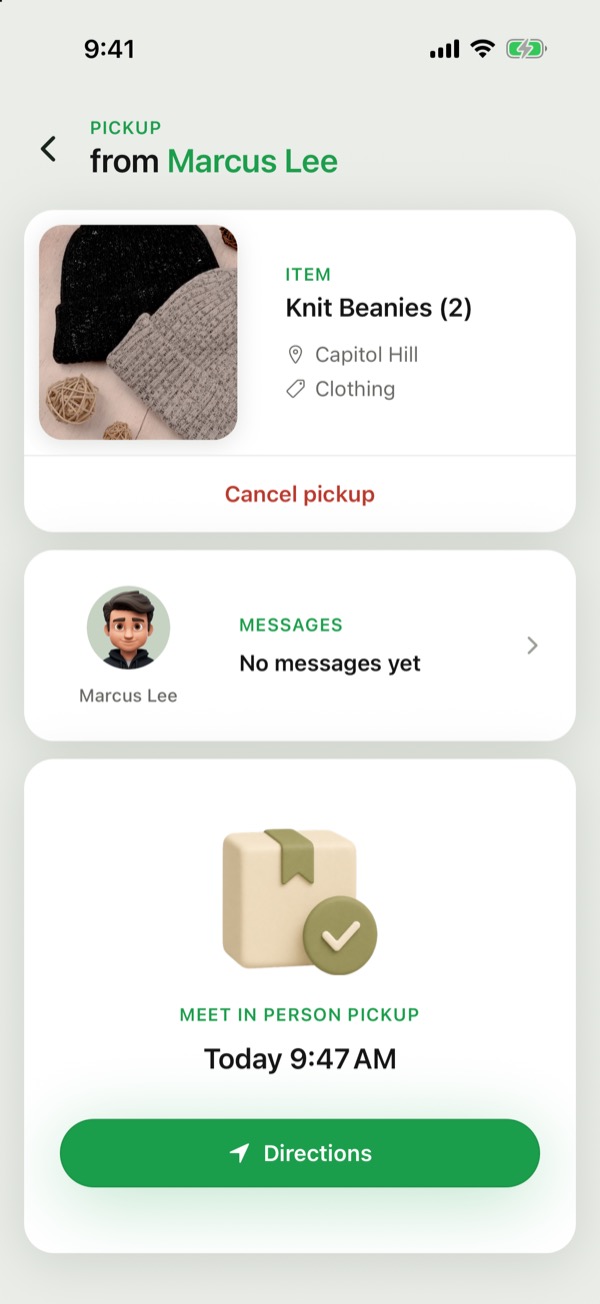
When the exact location is shared
The exact pickup location is shared only through the pickup flow, after a claim is in place between you and the person giving the item away. Browsing, searching, and the map never reveal anyone's exact address.
What this means if you give items away
Listing an item never publishes your address. People browsing see only the approximate area, and only the person actively picking up your item learns where to go.
What you can't give away on Zelbi
Zelbi is for safe, legal, everyday items you would feel comfortable handing to a neighbor.
Please don't list:
- Weapons or ammo, including knives, self-defense sprays and fireworks
- Drugs, prescription or over-the-counter medication, supplements, alcohol, tobacco, or vapes
- Hazardous, recalled, expired, or unsafe items
- Live animals
- Stolen or counterfeit goods
- Sexual products or explicit adult material
- Gift cards, cash, tickets, or anything mainly used like money
- Vehicles or anything requiring title or registration
- Homemade, cooked, or perishable food
- Items with pests, mold, bodily fluids, or other contamination
- Services, rentals, or non-item offers
- Anything containing someone's personal or financial information
Unopened, shelf-stable packaged food is okay.
Two of those deserve spelling out. “Personal or financial information” includes documents, mail, tax paperwork, cards, and any phone, laptop, hard drive or storage device that has not been fully wiped. “Unsafe items” includes supplements and any opened personal-care product — anything opened that goes on or in a body stays off the platform.
If you're not sure an item is safe to hand over in person, leave it off Zelbi.
If you see something that breaks these rules, report it: tap Share on the listing, then Report listing, and we'll review it.
Your listings
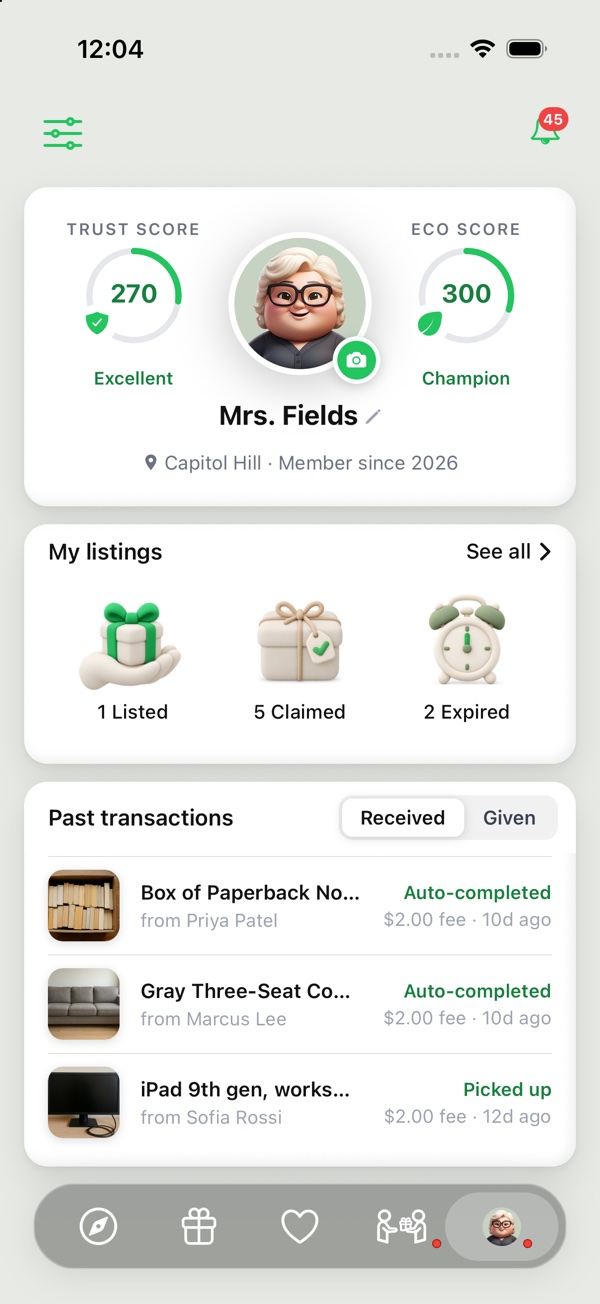
Where do I find my listings?
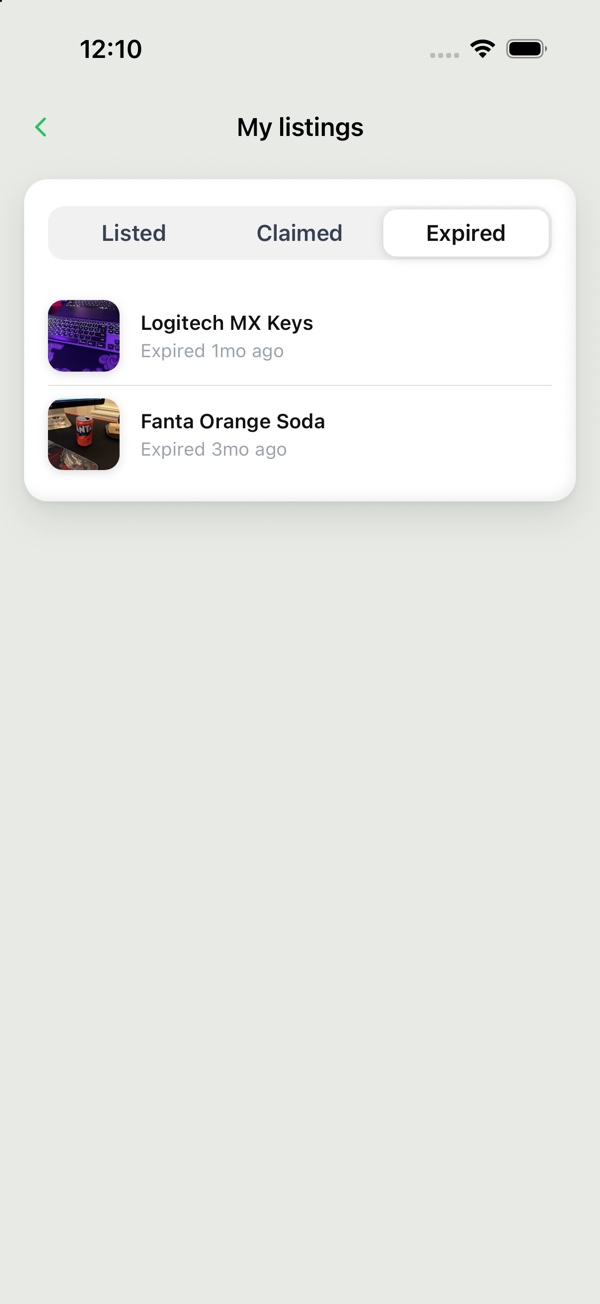
Tap your photo at the bottom right to open your profile. The My listings card shows how many you have that are Listed, Claimed and Expired. Tap one to open that list, or tap See all.
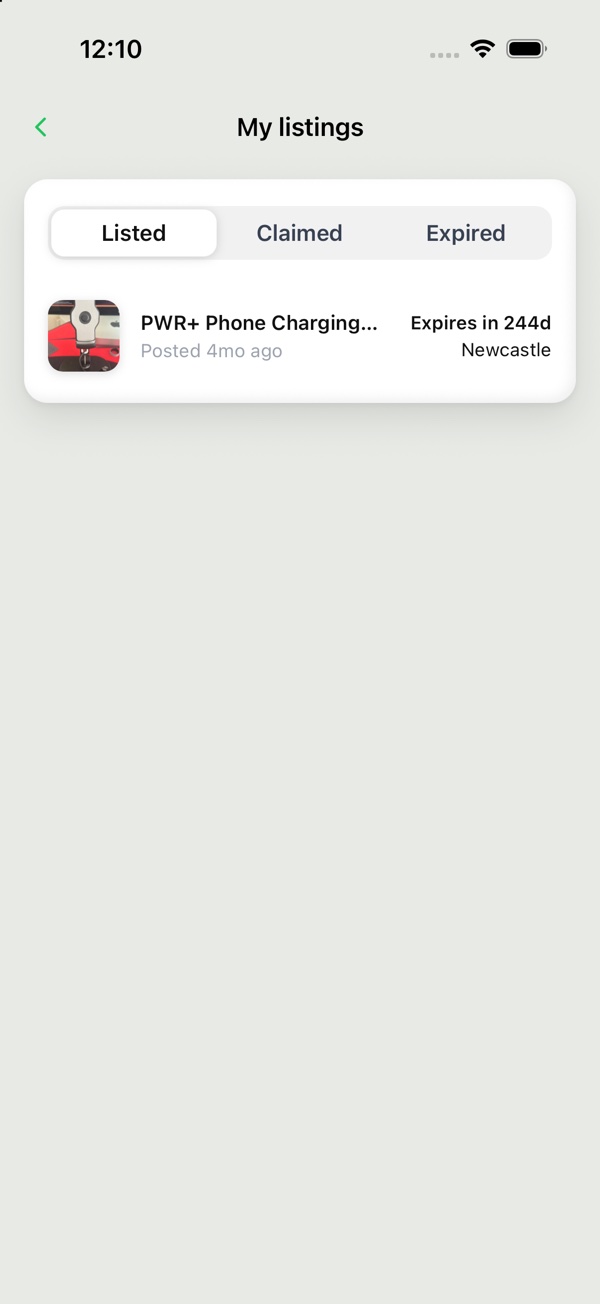
What do Listed, Claimed and Expired mean?
- Listed: the listing is up and nobody has claimed it yet.
- Claimed: someone has claimed it and the pickup isn't done yet.
- Expired: the listing ran out of time without being claimed.
A listing that has been picked up, one you took down, and one under review don't show in any of the three.
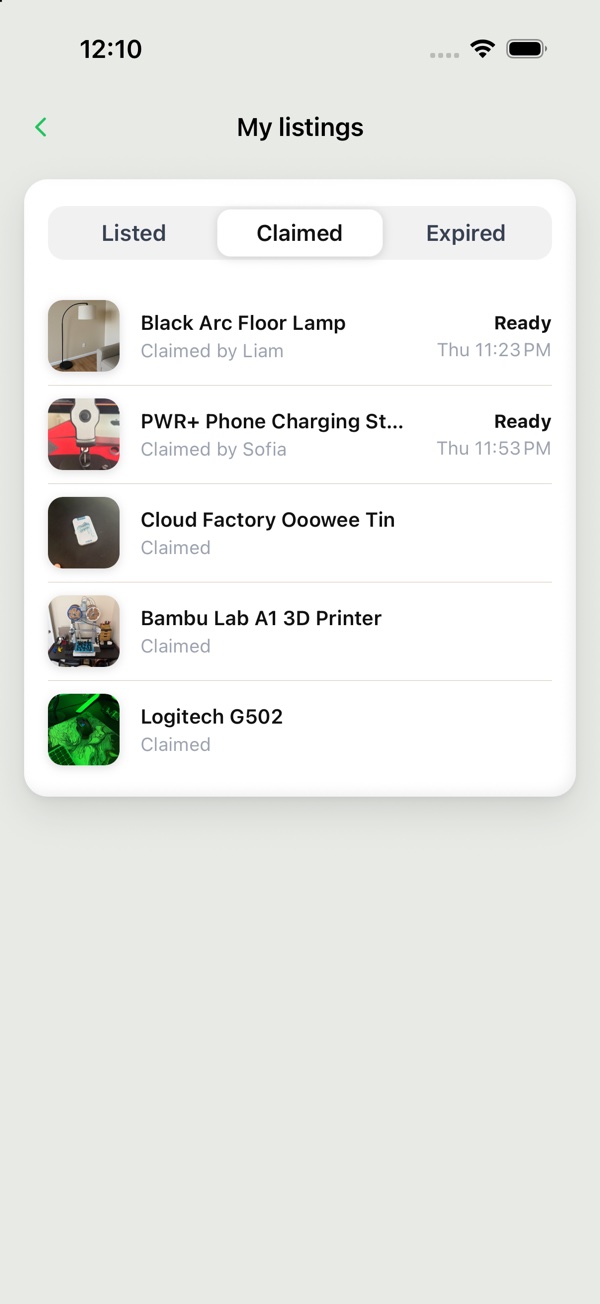
What can I do from each list?
Switch between Listed, Claimed and Expired at the top. Each listing is one row. Tap a row to open it.
- Listed: each row shows when you posted it, how long it has left and its neighborhood. Tap it to open the listing.
- Claimed: each row shows who claimed it, where the pickup stands (Needs you, Waiting, Coming up or Ready) and the pickup time once one is booked. Tap it to open the Handoff. Needs you means you still have to choose how the pickup works.
- Expired: each row shows when it expired. Tap it to open the listing. You can't relist from here.
Deleting your account
What happens when I delete my account?
Your name, photo, bio, listings and saved items are removed, and your account can't be used again. Messages you sent stay in the other person's conversation, without your name.
Pickups you arranged are cancelled and any card hold is released. You aren't charged.
Completed pickups and disputes are recorded indefinitely without your name, for legal and safety reasons. We also keep your email scrambled, only to know you if you return.
This happens straight away and can't be undone.
How do I delete my account?
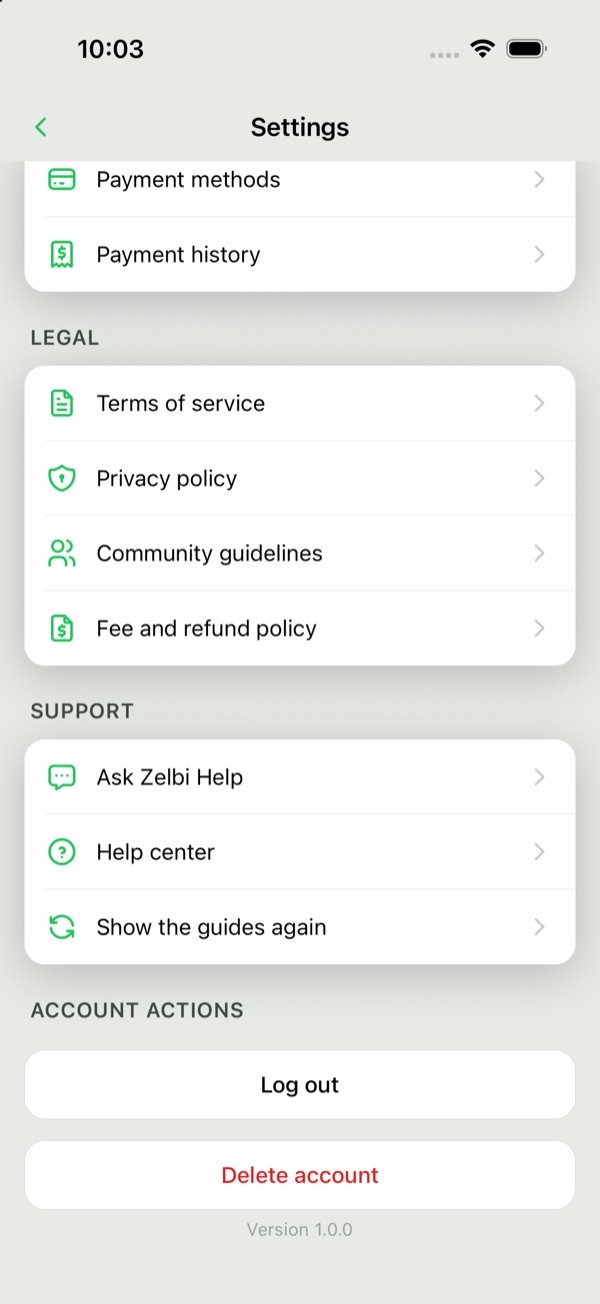
Go to Settings → Delete account, below Log out. Then tap Delete my account and confirm with Delete. It can't be undone.
Contact support
How do I contact Zelbi?
Email support@zelbi.ai. It's the official channel for questions, refunds and account issues. To report a listing, tap Share on the listing, then Report listing. To report a person or a pickup problem, use Report a problem in the app.
Where is support in the app?
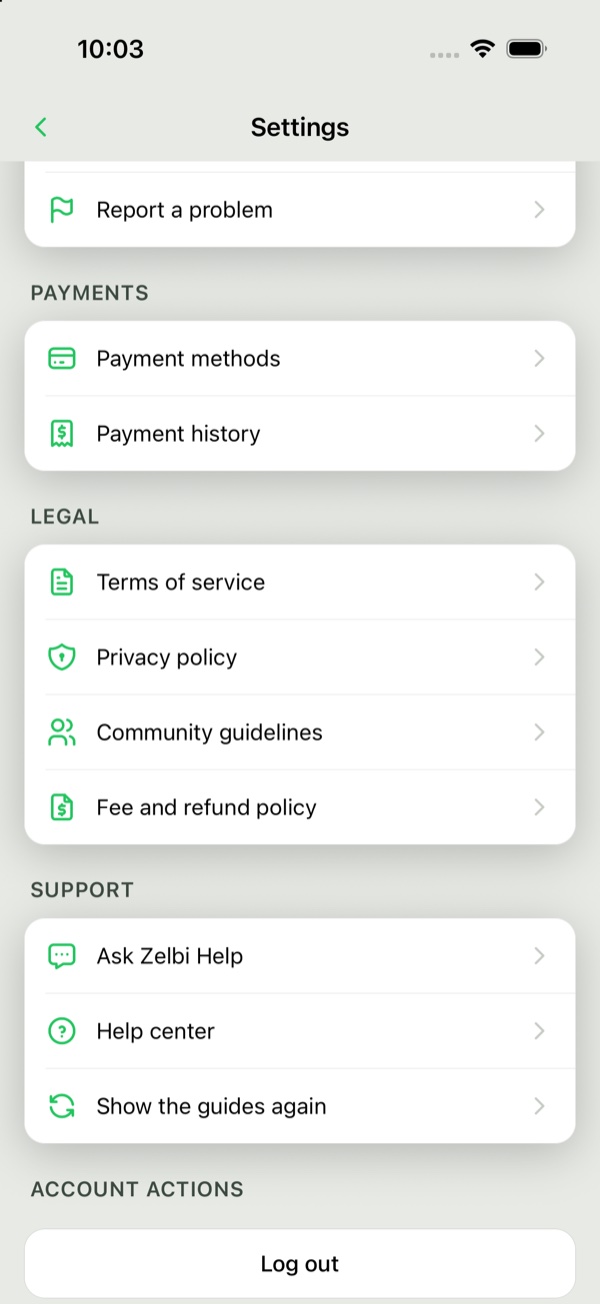
- Settings → Ask Zelbi Help for quick answers.
- Settings → Help center opens zelbi.ai/help.
- Settings → Report a problem to report a listing, a person or a pickup.
What should I include?
- The email on your Zelbi account
- What happened, in your own words
- The item or person involved